How to play
Road Bandits is built for one thumb on a phone, and it plays just as well with a keyboard. Here is everything you need for your first races: the controls, the start, changing lanes, staying on the route, and what happens at the finish.
The controls
On a phone or tablet, touch anywhere in the lower part of the screen and a thumb pad appears under your finger. There are only three moves:
- Push up to go. The further you push, the faster you go. Let go and the car holds the speed it has, so you can lift your thumb on a clear stretch.
- Slide left or right to change lanes. A short flick moves you one lane over; hold it and you keep going across. The steering assist settles you into the middle of the new lane, so you never have to straighten up yourself.
- Pull back to brake. Pull further to brake harder. Stopped and still pulling back, the car reverses.
On a computer, use the arrow keys or W A S D the same way, and Space to brake hard. P pauses a race you're playing on your own.
Steering setting. In Settings, the Steering slider runs from original (you steer every move) to lane assist (a push sideways is a lane change). It starts in the middle. If lane changes feel too eager or too slow, move it.
The camera
A faint slider on the right edge of the screen moves the camera from Far, high above the traffic, down to Low, just behind your car. Low feels faster and shows the horizon; Far shows more of the traffic ahead and is easier for weaving. Drag it any time, even mid-race. Settings also has quick buttons for each view.
The start
Every race starts on a grid. Before the lights, push up on the pad to rev the engine: a rev bar appears just above your car. Three red lights come on one a second, then all four go green.
- Keep the revs inside the green band as the lights turn green for a Perfect Start: the word slams onto the screen, you get a short boost off the line, and +250 LOOT.
- Too many revs and the tires spin; too few and the others get away.
- In the first seconds after the green, lane changes need a firmer push, so a wobbly thumb doesn't put you into the next lane.
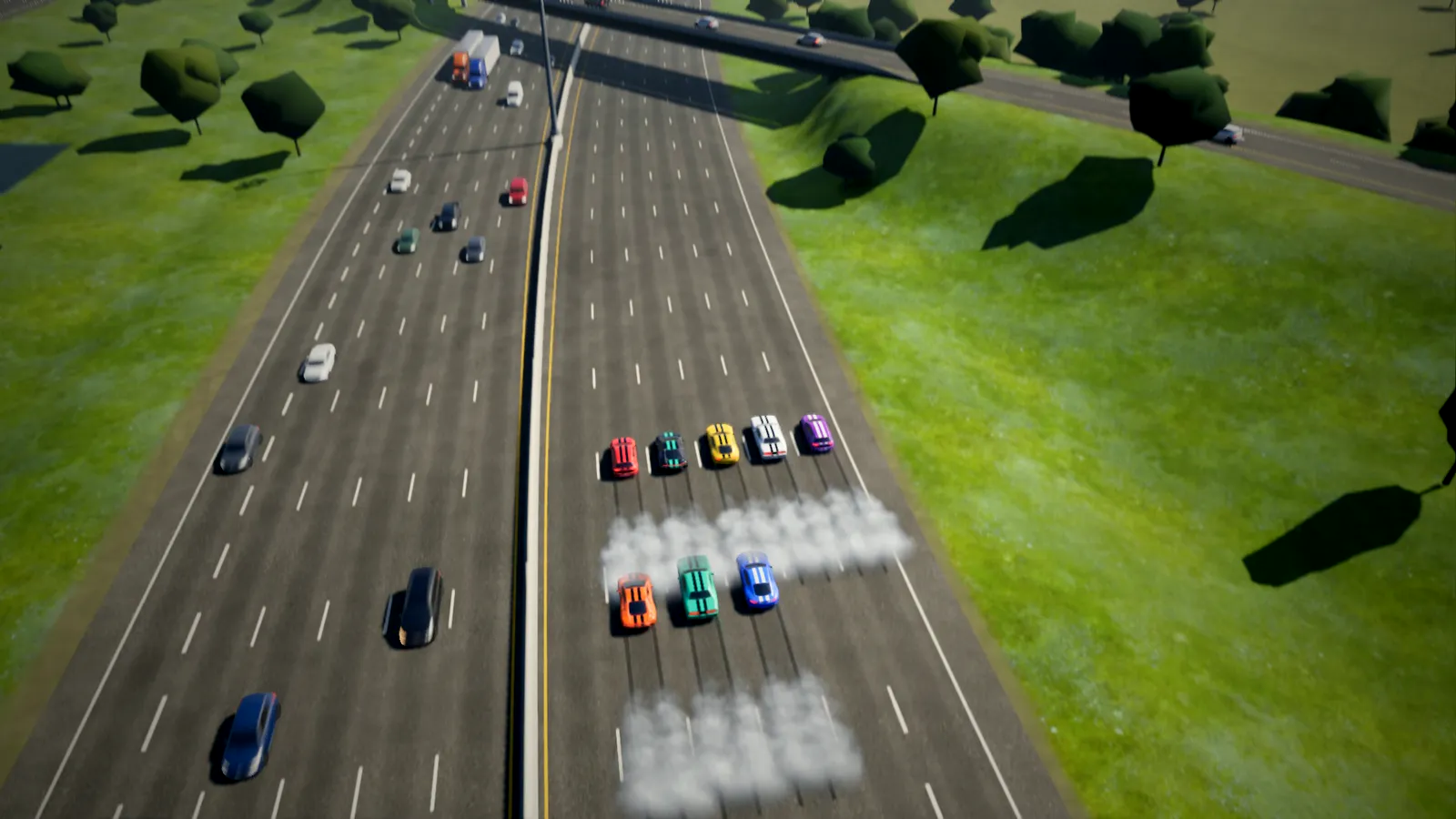
Traffic, shoulders and lanes
The 401 is full of traffic: cars, vans, pickups, buses and tractor-trailers, each with a driver of its own. They change lanes, brake, merge from the ramps, honk, and sometimes crash. Weave through the gaps, but expect them to move.
- The shoulders are fair game when you're stuck. Steer past the outside lane and the assist holds you on the shoulder, but you can't go faster than 135 km/h there.
- Hitting traffic costs you speed, damages your car and raises your heat with the police.
Stay on the route
Races follow the 401 eastbound. Exits that leave the route are tinted red on the road with EXIT RACE written on them. If your lane is about to peel off, a green arrow points you back to the 401's lanes, with a beep. Lanes that cross between the express and collector lanes are tinted green and read SWITCH: those keep you in the race.
Take an exit and the game warns you, LEAVING THE 401 — GET BACK ON. Get more than a few seconds down the ramp and you're out of the race. Driving off the road and across the grass for more than five seconds counts the same way.
Damage
Cars dent where they're hit. Bonnets spring open, lamps go dark, a badly knocked front wheel makes lane changes away from it slower. Light damage only costs looks. Push the damage past about 90% and the car catches fire, and the engine fades until you're crawling. In a race, once it's on fire the damage burns on to 100% in about 20 seconds: then the car stops and you're busted, with no LOOT. Make it over the line before that and your LOOT counts in full. The damage bar is under the heat bar at the top of the screen.
Busted
If the police box you in and bring you to a stop, or hold you to a crawl long enough, you're BUSTED. Your race is over, and you bank no LOOT from it. See the police and heat guide for how to keep that from happening.
The finish
- Cross the chequered line and the crowd cheers. Finish in the top three and you get the podium treatment.
- Right after the line, pull the thumb back toward a bottom corner for a sliding finish. Sideways sets how far the tail swings out, and pushing up turns it into a power slide.
- If others are still racing, you can keep watching them with the TV director's cameras, or exit to the results.
Pausing
In a solo race, an AI rival duel or a watch race, tap ❚❚ next to the menu, or press P, to pause. Switching to another app or taking a call pauses it too. Races with other people can't be paused.
Play full screen
On iPhone, open the game in Safari, tap ••• beside the address bar, then Share, then Add to Home Screen, and keep Open as Web App on. Open Road Bandits from its new icon and it fills the screen with no browser bars. On Android, use the browser's menu, then Add to Home screen.
That's all there is to it. The cops are waiting.
Play free now